 SnapPress
SnapPress v2.0 — Try It Free, Then Subscribe or Buy Forever
SnapPress 2.0 is now live on the App Store. The biggest update since the original App Store launch turns SnapPress into a freemium app: start uploading photos to WordPress for free, then upgrade to a monthly plan or pay once for lifetime access — whichever fits the way you work.
Quick answer: What changed in v2.0
- Free plan: 10 photos/month, 1 site, no card
- Standard: $0.99/mo or $4.99 lifetime — unlimited uploads, 1 site
- Pro: $1.99/mo or $9.99 lifetime — multi-site + video
- v1 buyers: Pro Lifetime, free, automatically
- Fixed: iOS 18 Share Extension crash + Keychain -34018
- New: Action Extension for one-tap upload from any app
Download SnapPress 2.0 on the App Store →
What's New at a Glance
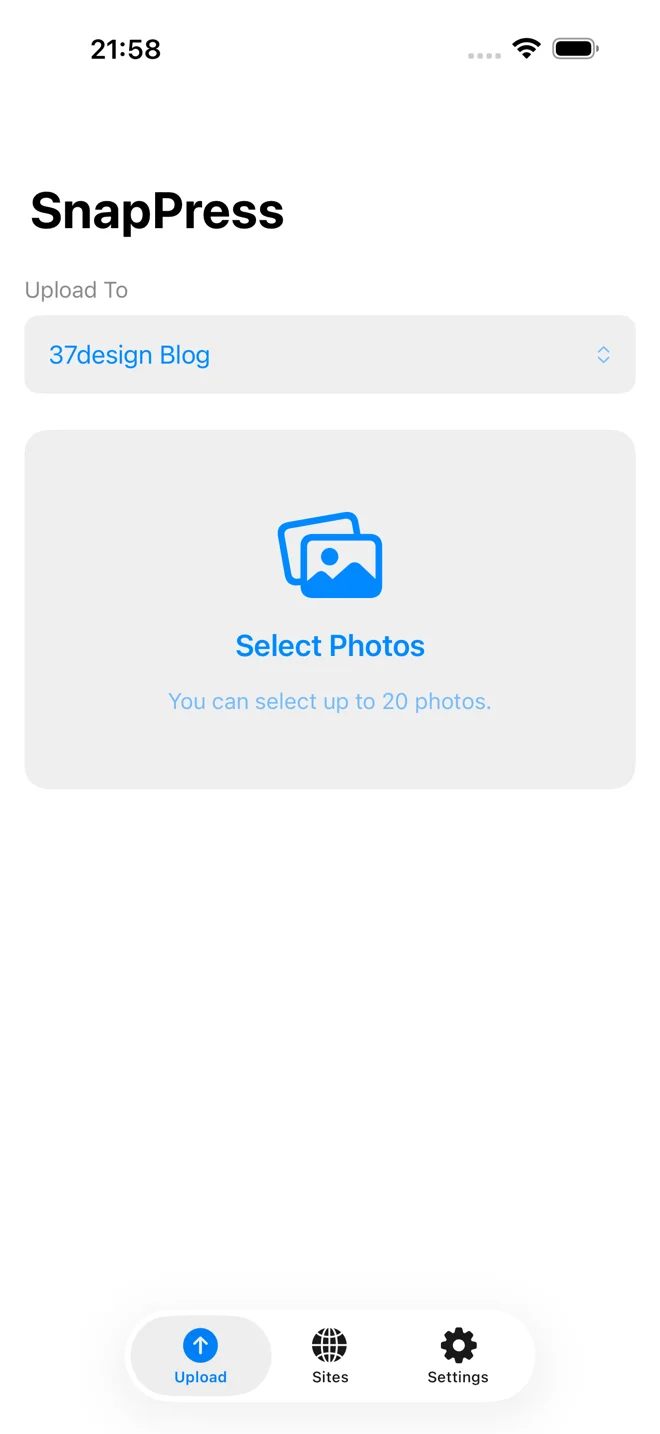
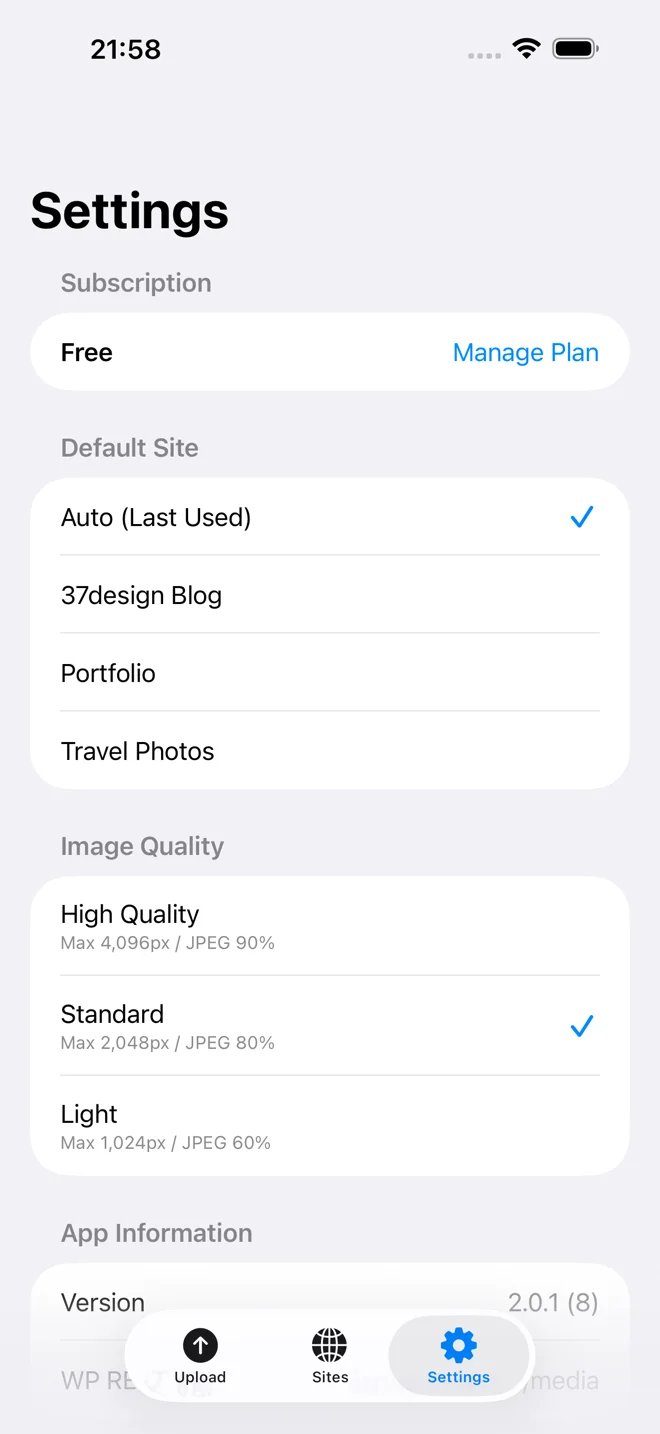
- Free plan — 10 photos per month, 1 WordPress site, no credit card
- Standard plan — $0.99/mo or $4.99 lifetime, unlimited uploads to 1 site
- Pro plan — $1.99/mo or $9.99 lifetime, multi-site uploads + video conversion
- Action Extension — push photos into SnapPress from any app on iOS
- Share Extension stability — fixed the iOS 18 memory crash and Keychain errors
- Smoother QR setup — adding a new WordPress site is faster and more reliable
- Lifetime Pro for original buyers — anyone who bought v1 gets Pro forever, free
Why We Moved to a Freemium Model
SnapPress v1 launched as a flat $2.99 one-time purchase. It worked, but it had two problems.
First: people couldn't try the app before paying. WordPress publishers are cautious — rightly so. They wanted to confirm SnapPress connects to their specific host, plays nice with their image plugins, and matches their workflow before handing over money. A paywall before the first upload was a real barrier.
Second: $2.99 was the wrong price for power users. Photographers running multiple stores, agencies managing client sites, creators uploading dozens of shots a day — all getting enormous value from a tool that cost less than a coffee. They wanted a Pro tier that justified itself, and were happy to pay for it.
Version 2.0 fixes both: the Free plan removes the "will it work for me?" risk entirely, while Standard and Pro give daily users a clear path to more capacity.
The New Plans
Free — Try Before You Pay
Install the app, scan a QR code from SnapPress Connect, and start uploading. Up to 10 photos per month to one WordPress site. No account, no card, no time limit. If 10 photos a month is enough for you, that's it — keep using SnapPress for free.
Standard — $0.99/month or $4.99 lifetime
Unlimited photo uploads to one WordPress site. Best for individual bloggers, hobby photographers, and anyone running a single site. The lifetime option is roughly five months of subscription — pay once and you're done forever.
Pro — $1.99/month or $9.99 lifetime
Everything in Standard, plus:
- Multi-site support — register and switch between unlimited WordPress sites
- Video upload — push videos to your Media Library, with automatic HEVC → H.264 conversion so they play everywhere
- Priority support — direct line to the developer for issues and feature requests
Pro is built for agencies, e-commerce operators with multiple Shopify-style WooCommerce stores, and content teams who shoot both stills and clips on the same phone.
Original Buyers Get Pro Forever, Free
If you bought SnapPress v1 before April 23, 2026, the app automatically grants you Pro Lifetime on your existing Apple ID — at no charge. You don't have to do anything. Open v2.0, and your Pro features will already be unlocked.
This was important to us. People paid for SnapPress when it was a smaller, riskier product. We're not asking them to pay again.
New: Action Extension
iOS has two kinds of system extensions: Share and Action. SnapPress v1 only supported Share — you'd hit the share sheet, scroll to find SnapPress, then upload. v2.0 adds an Action Extension, which means SnapPress shows up in the Action row of the share sheet alongside Copy, Save Image, and other quick operations.
For users who are already in Photos, Files, Mail, or any other iOS app with content they want to publish, this is a faster route to upload. Tap the share icon, tap the SnapPress action, done.
Share Extension: No More 2-Second Crash
One of the most reported issues in v1 was the Share Extension crashing about 2 seconds after launch — particularly on iOS 18. The root cause was an out-of-memory kill triggered by how iOS handles extension processes.
v2.0 rewrites the extension's image-handling pipeline to stay well under iOS's memory ceiling. We also fixed a related Keychain -34018 error that prevented the extension from authenticating against your WordPress site. Both issues are gone in v2.0.
If you experienced this in v1, just update — there's nothing to reconfigure.
Smoother QR Setup
QR scanning was already SnapPress's signature setup flow. v2.0 makes it more reliable:
- Coordinator pattern — the QR scanner now uses a cleaner state-handoff architecture that prevents the scanner sheet from getting stuck
- Sheet-presentation timing fix — the "site added" confirmation no longer races with the scanner dismissal
Practical impact: scanning a SnapPress Connect QR code now Just Works, even on slower iPhones or when scanning rapid-fire across multiple sites.
Other Fixes
- Duplicate site registration — fixed the bug where rapid taps on "Add Site" could register the same WordPress URL multiple times
- Various authentication-flow stabilizations across the QR + Application Password handshake
Upgrading from v1
If you already have SnapPress installed:
- Update to v2.0 from the App Store (it's free).
- Open the app. If you bought v1 before April 23, 2026, Pro Lifetime is already unlocked.
- If you didn't buy v1, you'll start on the Free plan — 10 photos/month, ready to use immediately.
- To upgrade, tap Settings (⚙) > Upgrade and pick Standard or Pro, monthly or lifetime.
What's Next
The roadmap from here targets the workflows Pro users have asked for most: upload directly to specific Media Library folders, upload presets per site, and deeper Files.app integration — publish from Dropbox, iCloud Drive, and other cloud sources without leaving the share sheet.
We're also continuing work on the Android version. Drop your email on the homepage to get a notification when it launches.
Get SnapPress 2.0
Download SnapPress on the App Store — free to try, $0.99/month or $4.99 lifetime to unlock unlimited uploads.
Questions, bugs, or feature requests? Email [email protected] — every message gets a real reply.
Related reading
- SnapPress 2.0.1: 9-Language Localization — what shipped after 2.0
- SnapPress App Store launch story — how v1 shipped and what we learned
- SnapPress Connect: the official WordPress plugin — the companion plugin that powers QR setup
- iOS Share Extension Memory Crash Post-mortem — the technical fix behind 2.0's hardened Share Extension
- How to set up SnapPress Connect — 2-minute QR-code setup
- About SnapPress and Ken Furuta — solo developer behind the app
Send iPhone photos straight to WordPress
SnapPress uploads up to 20 photos at once from your iPhone straight to the WordPress media library, converting HEIC to JPEG on the device. No Jetpack and no WordPress.com account — it authenticates with a standard WordPress Application Password. Free for 10 photos a month.
Two steps to start: install the free "SnapPress Connect" plugin on WordPress, then install the iPhone app and pair them with a QR code.
About the author

Founder & CEO, 37Design
Founder & CEO of 37Design, a web and AI consultancy based in Tokyo, Japan. Built SnapPress to eliminate the pain of uploading dozens of iPhone photos to WordPress — one by one.
37design.co.jp