 SnapPress
SnapPress 2.0.1: 9-Language App Store Localization
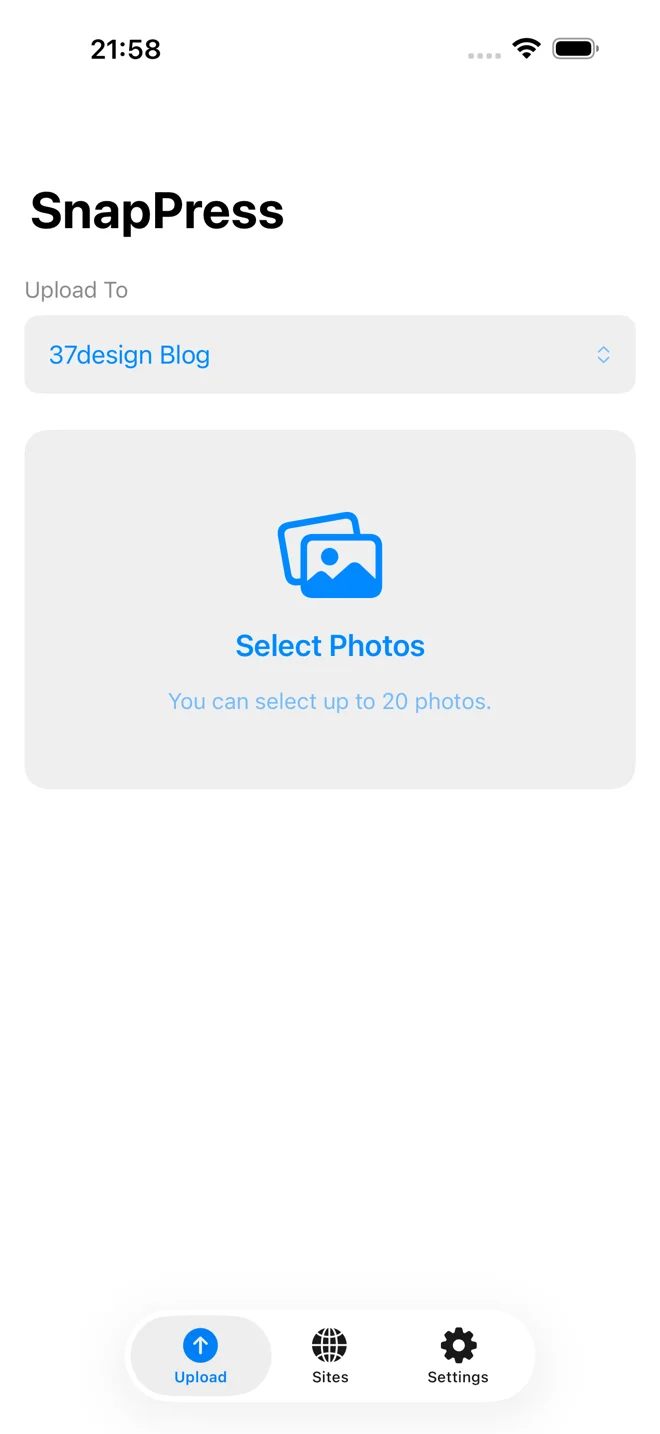
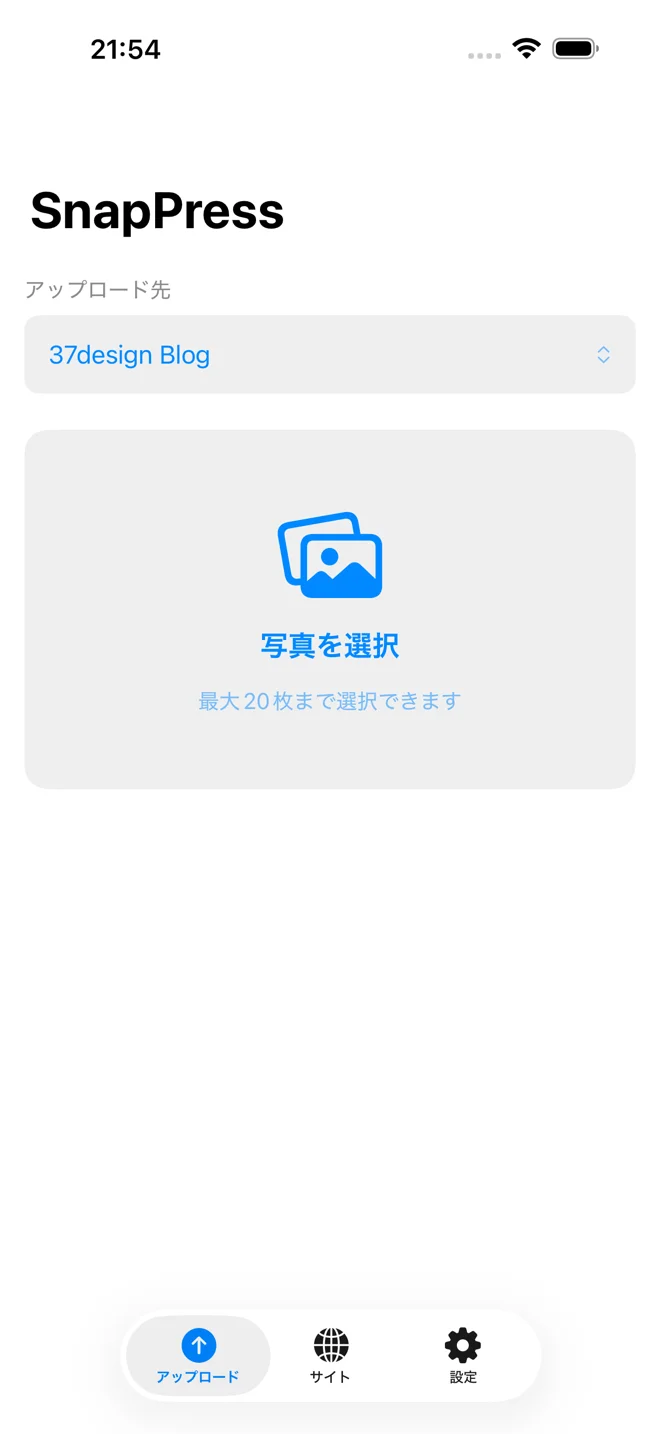
The short version: SnapPress 2.0.1 ships localized App Store metadata across 9 languages (English, Japanese, Spanish, German, Portuguese, French, Korean, Italian, Traditional Chinese). The subtitle field was empty in every locale, costing 30 characters of search-ranking weight per market. Filling it took one Sunday and two CLI scripts.
SnapPress 2.0.1 just went into review, and the headline change isn't a new feature. It's full App Store metadata localization across nine languages, plus the technical plumbing to keep it that way. This post is the story behind that release.
The setup
SnapPress launched on the App Store in March 2026. The pitch was simple: stop wasting 30 minutes uploading photos one by one to WordPress, ship 20 photos to your media library in 10 seconds straight from your iPhone. The 2.0 release in late April added a freemium tier, the lifetime purchase, and a hardened Share Extension, paired with the SnapPress Connect plugin on the WordPress.org directory. Sales were modest but real, mostly Japanese WordPress bloggers buying directly from the Japanese App Store.
The surprise
Two purchases came in from Australia. No advertising. No press. Nobody I knew. The buyers had found SnapPress on their own through App Store search, on metadata that I now realize was barely localized at all.
That was the moment I looked at the App Store Connect dashboard the way an outsider would — and noticed something that rewrote the priority list for the rest of the day.
The problem
The App Store subtitle field — the 30-character line under the app name that shows up in search results and category browsing — was empty. In every locale. Every single one of the nine languages App Store offers a localization slot for, including English and Japanese, the two markets with the most existing users.
Subtitle is one of the highest-weighted fields in App Store search ranking. Apple gives it indexable weight comparable to the app name itself, and it's the first piece of supporting copy a search shopper sees before tapping. Leaving it blank meant SnapPress was effectively forfeiting 30 characters of keyword real estate per locale, multiplied by 9 locales, across every search query that matters.
Keywords were partially filled, but only in English and Japanese, and they were missing core terms like "bulk", "iPhone", and "blogger". Description was English and Japanese only. Promotional text was blank everywhere. The only thing fully populated across locales was, ironically, the previously-set release notes.
The fix
I spent a Sunday afternoon writing two small CLI toolkits.
The first one talks to the App Store Connect API to read the current state of every localization, generate a new app version, push subtitle through the appInfoLocalizations endpoint, push keywords / description / promotional text / what's new / support URL / marketing URL through the appStoreVersionLocalizations endpoint, and attach a freshly archived build. Authentication is App Store Connect API key based, so no human in the loop, no two-factor prompts mid-flow.
The second one talks to the Apple Search Ads Advanced API. Same pattern: ES256-signed JWT, OAuth client credentials grant, Bearer token with the X-AP-Context header. Storage of the credentials goes through 1Password CLI so no secret ever lands on disk in plaintext. The result is that "create a campaign", "list keywords", "fetch yesterday's report" become one-line shell commands instead of dashboard clicks.
Total runtime to push the new metadata across all 9 locales: under three minutes. Including the binary archive and upload for the new build: about 10 minutes. The entire 2.0.1 release was assembled and submitted from the command line.
What's now in 9 languages
The new subtitles, all under the 30-character limit:
- English: Bulk Upload to WordPress Media
- Japanese: WordPressに写真を一括アップロード
- Spanish: Sube fotos a WordPress en masa
- German: Foto-Upload für WordPress
- Portuguese (Brazil): Upload em massa para WordPress
- French: Photos en masse vers WordPress
- Korean: 워드프레스 사진 일괄 업로드
- Italian: Foto in blocco su WordPress
- Traditional Chinese: 批次上傳照片到 WordPress
Each locale also gets a tailored description (around 1,400 characters in English and the European languages, naturally compressed in Japanese, Korean, and Chinese), a 100-character keyword string optimized for each market's search behavior, a promotional text block referencing the local currency price, and a what's-new line announcing the multi-language rollout.
The lesson
If you build apps for the App Store and haven't personally checked your subtitle field across every locale your app is published in, this is your reminder. It takes 5 minutes to verify, and an empty subtitle is the cheapest piece of real estate Apple lets you waste. The same applies to keywords, promotional text, and the What's New blurb after every release.
The other lesson: App Store Connect and Apple Search Ads both have full APIs, and they're dramatically faster to operate than the web dashboards after the initial auth setup. If you're shipping more than a few releases a year, a 100-line bash script wrapping the API saves hours per release — and removes the slow-but-reversible mistakes that creep in when you click 27 dropdowns by hand.
What's next
Apple review takes 24 to 48 hours. Once 2.0.1 is live, Phase 1 is a small Apple Search Ads campaign in Japan: 7,500 yen monthly budget, target cost per install around 250 yen, ten Japanese keywords starting with "ワードプレス アプリ" and "wordpress 写真 アップロード". The goal isn't scale. The goal is real LTV and ROAS data per acquired user, so the next budget decision is informed by numbers instead of optimism.
If those numbers work, the same automated pipeline expands the campaign to the US, then to the next two or three locales where ASO traffic looks promising. If the numbers don't work, the budget pauses, the screenshots and pricing get a closer look, and the experiment continues with cheaper inputs.
The fun part of operating a small product solo is that you can ship something like this in an afternoon. The boring part — and the part that actually matters — is what happens in the 60 days after, when the data starts coming in.
Download SnapPress on the App Store →
Send iPhone photos straight to WordPress
SnapPress uploads up to 20 photos at once from your iPhone straight to the WordPress media library, converting HEIC to JPEG on the device. No Jetpack and no WordPress.com account — it authenticates with a standard WordPress Application Password. Free for 10 photos a month.
Two steps to start: install the free "SnapPress Connect" plugin on WordPress, then install the iPhone app and pair them with a QR code.
About the author

Founder & CEO, 37Design
Founder & CEO of 37Design, a web and AI consultancy based in Tokyo, Japan. Built SnapPress to eliminate the pain of uploading dozens of iPhone photos to WordPress — one by one.
37design.co.jp